

Every crew’s day on one board.
Schedule your technicians, send them the next job on their phone, and follow each job from the first call to the paid invoice.
Private beta. Sign-up isn’t open yet.
Thursday, Nov 12
Example day: 8 visits across 3 technicians
Know where every job stands.
Each request follows the same path through Dispatchem, so anyone in the office can answer a customer without asking around.
Request
Log the call with the customer and service address.
Mon 7:42 AMEstimate
Build line items from your services and materials.
Mon 2:10 PMVisit
Pick the day and the crew. The technician sees it on their phone.
Thu 8:00 AMInvoice
Bill the finished work from the same job.
Thu 10:05 AMPaid
The customer pays online through your own Stripe or Square account.
Thu 6:31 PM
Shown: Kevin Marsh, AC repair, from John Park’s board above.
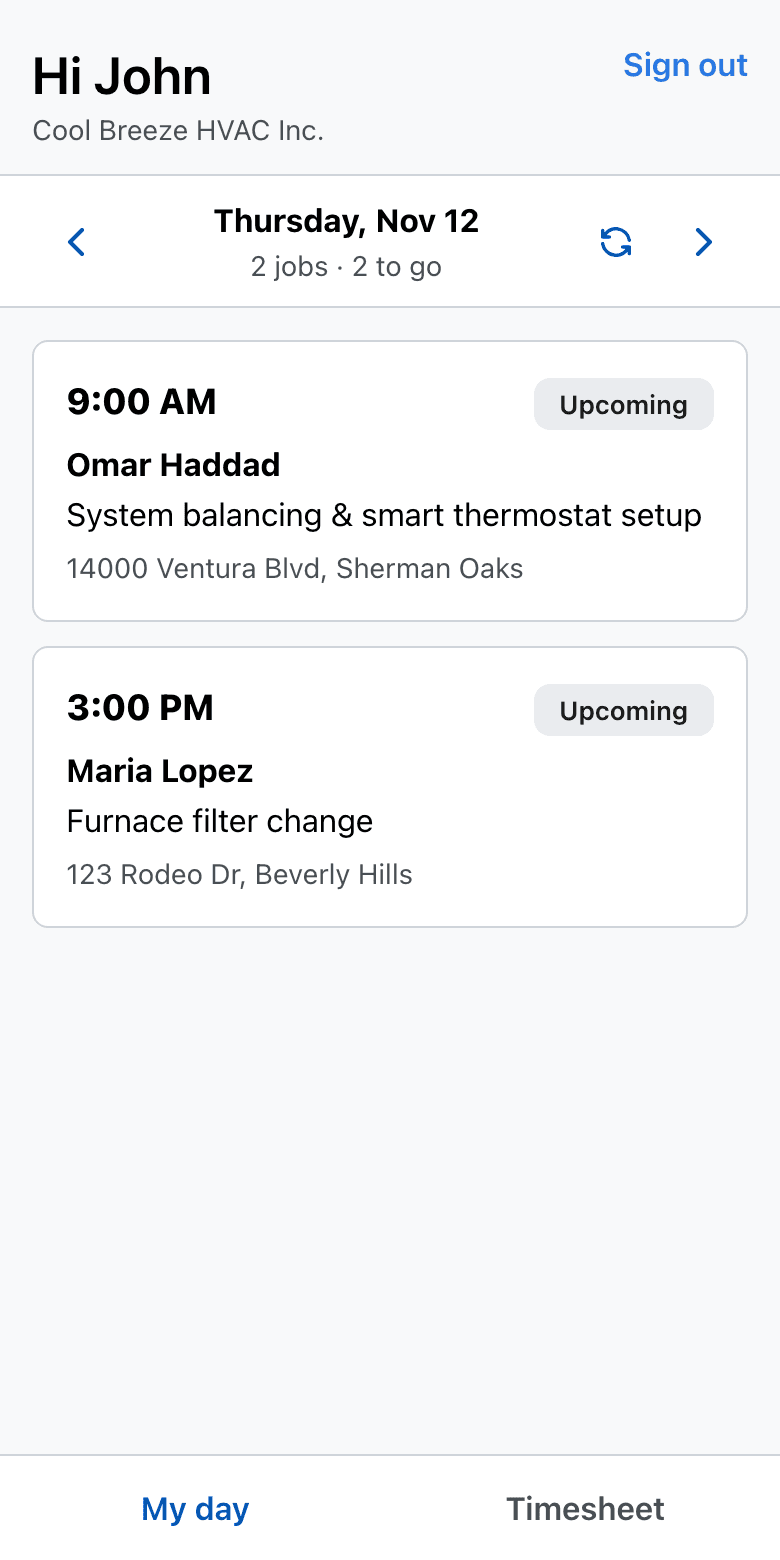
The next job, in your pocket.
Technicians use the Dispatchem app for iOS and Android, now in beta. What they do in the field shows up on the office board as it happens.
- My day: your visits, in order
- Call the customer or get directions in one tap
- Mark “On my way”, start and finish the visit
- Checklists, notes and photos on the job
- Clock in and out for the timesheet
- Works without signal and syncs when you’re back online
The rest of the office, in the same place.
A schedule by crew member
See the day or week per technician, drag a visit to move it, or set the time and crew from the job itself.
Customers with their history
Contacts, service addresses, past visits, estimates and invoices in one place, searchable and exportable to CSV.
Your price book
The services and materials you sell, ready to add to estimates and invoices.
Payroll and reports
Run pay periods from clocked hours, and check revenue, outstanding balances and technician hours.
Dispatchem is in private beta.
We’re running it with a small group of service businesses while we finish it. Sign-up isn’t open yet.